



准备工具:GitHub账号、Git、源代码
1:注册GitHub账号。官网直达:https://github.com/
2:git工具。官网直达:https://git-scm.com/ (下载慢用备用链接)备:https://pan.quark.cn/s/f4f56a215053
项目部署:
- 新建一个仓库,选择公开
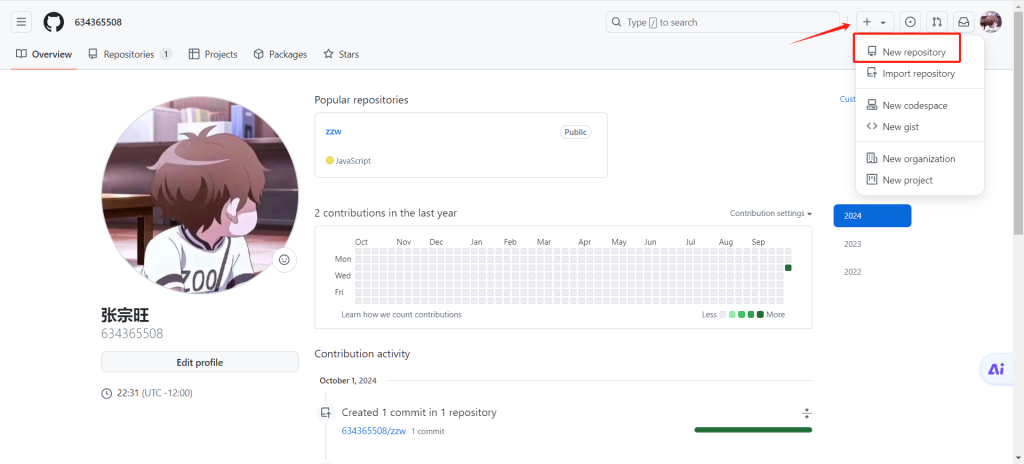
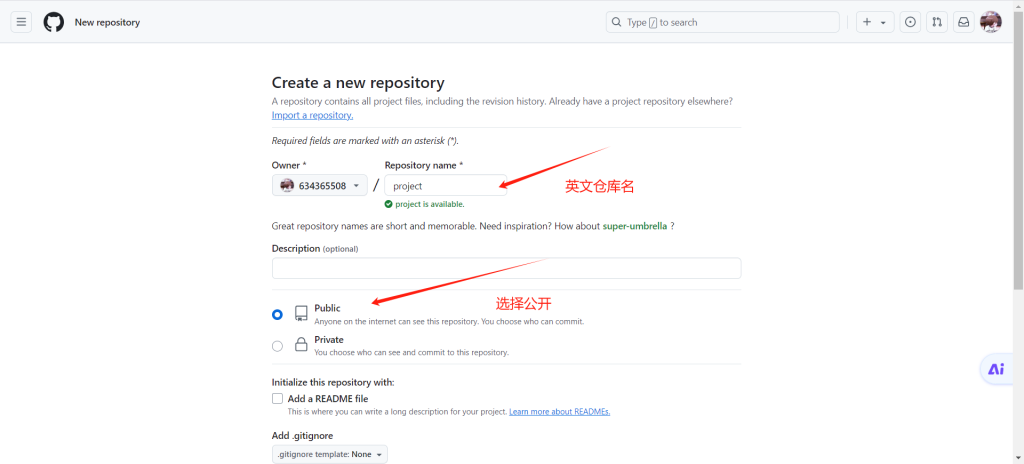
- 在vscode打开项目,新建终端
- 1:初始化Git仓库
git init- 2:将GitHub仓库连接本地项目。要将your-username改成你的用户名,your-repository-name改成仓库名
git remote add origin https://github.com/your-username/your-repository-name.git- 3:添加所有文件到暂存区
git add .- 4:提交文件
git commit -m "第一次提交"5:上传到GitHub
git push -u origin main© 版权声明
THE END



暂无评论内容